This article will demonstrate how a Trust can be added as a Contact from a new screen in Simple Fund 360.
| From the Main Toolbar, Navigate to Settings. |
|
| Select Contacts (beta) from the list. |
|
|
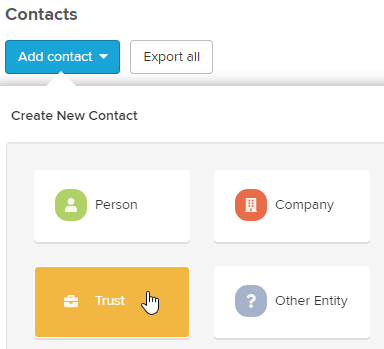
Select Add Contact and the Create New Contact sub screen will appear, where Trust can be selected. |
 |

Input the following information on the  page prompted.
page prompted.| Trust Information | Explanation |
| Name | Input the Trust name (note this field is mandatory) |
| ABN | Input the Australian Business Number |
| TFN | Input the Tax File Number |
| Establishment Date | Key in or select from the calendar the date when the Trust was established |
| Address | Input an address for the Trust |
Select  to finalise.
.