Overview
When reviewing the Statement of Taxable Income, you might encounter income tax instalments that appear incorrect or are missing from the Transaction List. These instalments are typically recorded under account 85000 – Income Tax Payable.
How to Reconcile
Instalments are recorded in account 85000 – Income Tax Payable through the More Details panel. If a transaction is posted to this account and the financial year selected in the More Details panel matches the current financial year, Simple Fund 360 will treat the payment as an instalment.
1. Identify Instalments Using the Tax Reconciliation Report:
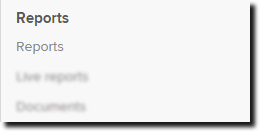
| From the Main Toolbar, go to Reports. |
|
| Select Reports. |
|

- On the left-hand side of the Reports screen, search for the Report.
- Select the green arrow to add the report to the Report Pack List.
- Select either Download PDF, Download Word or Download Excel.
Under Label K - PAYG Instalments Raised, the report will detail the date the instalments were made, and the amount. Use these instalment dates to locate them in the Transaction List using the Transaction Filter.
These instalment amounts are an example only.
2. Verify Entries in Account 85000:
- Navigate to the transaction list and edit any incorrect transactions.
-
Ensure the Financial Year selected matches the year the instalment pertains to.
- Create Entries again to update SMSF Annual Return and Tax Reports