Support Query
How do I prepare a notice of intent to claim a deduction for personal super contributions?
Solution
The Deduction Notice Form and Letter can be prepared when posting personal contribution transactions by selecting Post and Prepare Documents:
A window will appear for the Deductions Notice Form/Letter. Click Download to generate the form:
Alternatively, the Deductions Notice Form and Letter can be prepared through the Reports screen in SF360:
1. Ensure an entity has been selected
2. Navigate to the Reports screen.
| From the Main Toolbar, go to Reports. |
|
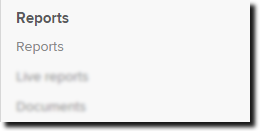
| Select Reports. |
|
3. From the Reports screen, under the Letters/Minutes section, click the green arrow to add the Deduction Notice Form or Letter to the Report Pack List.
4. Select Setting.
| Settings | |
| Deductions Notice Letter | Select a Member |
| Select a Trustee/Director | |
| Enter a Document Date | |
|
Deductions Notice Form |
Select a Member |
| Is this notice varying an earlier notice? (Y/N) | |
| Amount of personal contribution claimed in the original notice | |
| Enter a Document Date |
Ensure the members have been added to The Member List and Trustees/directors added to the Fund Relationships screen.
Select SAVE after you have adjusted the settings.
You can then preview/print the selected reports.
Refer to the Reports help for instructions on preparing Report Packs.