Instructions
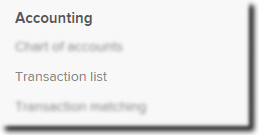
| From the Main Toolbar, go to Accounting. |
|
| Select Transaction list |
|
| Select New Transaction. |
|
| Select Bank Statement. | 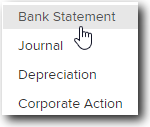 |


You can now record the Purchase.
| Date | Input 04/07/2015 |
| Reference | Input 111 |
| Description | Input Purchased 500 BHP Shares |
| Select an account | Click and select  |
| Select | Investment |
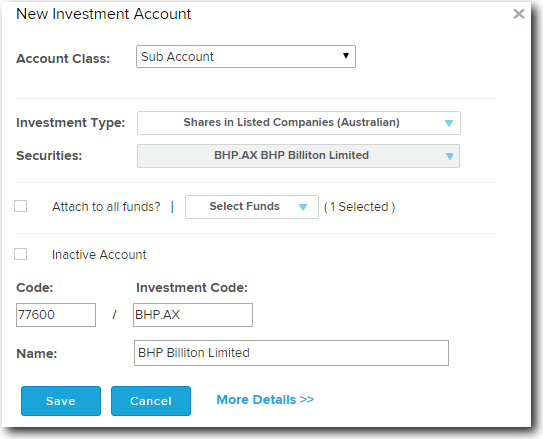
| Investment Type | Select Shares in Listed Companies (Australian) |
| Securities | Select BHP |
|
Investment Code |
Field will automatically populate based on the security code selected. |
| Name | Field will automatically populate based on the security code selected. |
 |
|
| Create Investment | Select  to create the investment in the Chart of Accounts. to create the investment in the Chart of Accounts. |
| Units | Input 500. |
| Amount | Input a debit amount of $15,500.00. |
| More details | Click  to Input the Investment Purchase Details. to Input the Investment Purchase Details. |
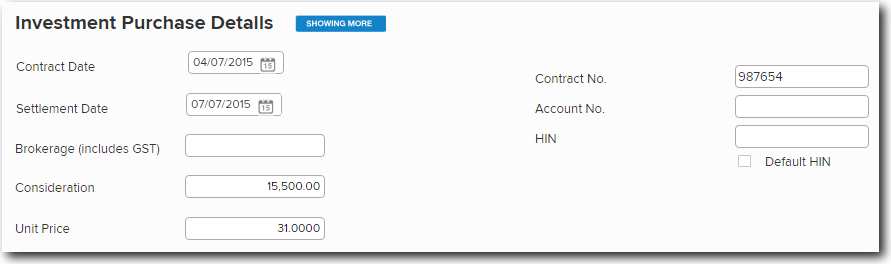
| Contract date | Input purchase date 04/07/2015 and press Tab. |
| Contract No. | Input 987654 and press Tab. |
| Settlement Date | Input settlement date 07/07/2015. |
 |
|
| Save Transaction | Select  . . |