Issue
The Dividend Reconciliation Report is showing duplicated (double-up) dividend amounts for an investment.
Cause
This issue occurs when the same dividend income account (e.g. 23900 Dividend Income) is incorrectly linked to multiple investments in the Chart of Accounts.
When a single income account is linked to more than one investment account (e.g. multiple 77600 investment accounts), Simple Fund 360 will report the dividend income twice, resulting in duplication in the Dividend Reconciliation Report.
Resolution
To resolve the duplicated dividends, you will need to correct the account linkages in the Chart of Accounts.
Step 1: Identify the affected investment accounts
Note the investment(s) showing duplicated dividends in the report (e.g. 77600/CAR.AX).
Step 2: Remove the incorrect income account linkage
| From the Main Toolbar, go to Accounting. |  |
| Select Chart of accounts from the list. | 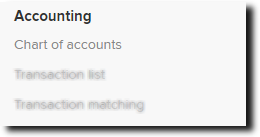 |
In the Chart of Accounts, search for the Investment account (e.g. 77600/CAR.AX).
Open the account and select More Details.
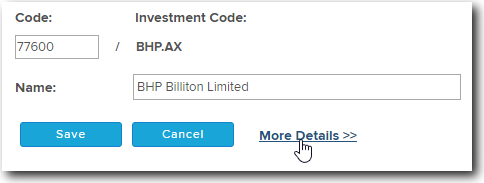
Check the Linked Accounts section.
Ensure it is linked to the correct dividend account. If not, remove it and add back the correct dividend account
Step 3: Check other investment accounts
Ensure the 23900 account is not linked to any other investment accounts where it does not belong.