Issue
A dividend payment for an ASX-listed security appears in SMSF dividends received totals, but the amount does not show in the Trial Balance or Operating Statement.
Why This Happens
This issue is commonly caused by one of the following:
The dividend income account (for example, 23900/CAR.AX) is not linked to the relevant investment account.
The wrong security code has been selected on the investment account.
Check and fix the security code on the investment account
| From the Main Toolbar, go to Accounting. |  |
| Select Chart of accounts from the list. |  |
Open the investment account for the affected security.
- Click on the investment and Edit Investment Account.
- Use the drop-down menu, click on Securities to search and select the new Security Code to attach to the investment.
Ensure the code matches the current ASX security code.
- Click Save to update the investment with the correct security.
Ensure the income account is linked to the investment account
If the security code is correct, confirm the dividend income account is linked correctly:
| From the Main Toolbar, go to Accounting. | |
| Select Chart of accounts from the list. |  |
In the Chart of Accounts, search for the Investment account (e.g. 77600/CAR.AX).
Open the account and select More Details.
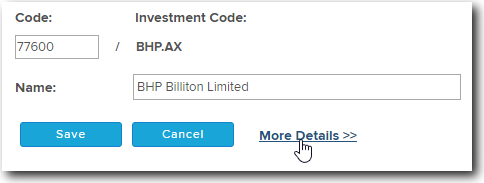
Check the Linked Accounts section.
Ensure it is linked to the correct investment account.
If not, link it. Select Add Link Account
- Select the type of account you wish to add or link to the Investment
- The Account Type will now be added to the Account List.
- Locate the New Account from the Account List and Select the Account Code/Investment Code.
- Select Save.