When disposing of investments in Simple Fund 360, it’s important to ensure Goods and Services Tax (GST) is applied correctly. In certain transactions, GST should be recorded as payable rather than claimable, but by default, the software may treat it differently depending on the account used.
This article explains:
- How GST is handled in disposals
- When the GST Option appears
- How to correctly record GST as payable on asset disposals
The Default GST Treatment in Simple Fund 360
For the following standard investment accounts, Simple Fund 360 will automatically apply GST on Brokerage, and the GST Option will not be available:
| Account Code | Investment Type |
| 77600 | Shares in listed companies – Australian |
| 77700 | Shares in listed companies – Overseas |
| 77800 | Shares in unlisted private companies – Australian |
| 77900 | Shares in unlisted private companies – Overseas |
| 78200 | Units in listed unit trusts – Australian |
| 78300 | Units in listed unit trusts – Overseas |
| 78400 | Units in unlisted unit trusts – Australian |
| 78500 | Units in unlisted unit trusts – Overseas |
| 74700 | Managed investments – Australian |
| 74800 | Managed investments – Overseas |
For these accounts:
- GST is applied only to brokerage (if applicable).
- The GST Option in the More Details section will not be visible.
- You cannot change the GST treatment to apply it to the disposal itself.
When the GST Option Is Available
The GST Option becomes available when recording a disposal using investment accounts (other than those listed above), including Custom investment accounts.
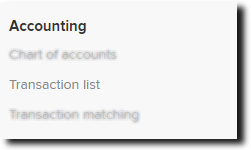
| From the Main Toolbar, go to Accounting. |
|
| Select Transaction list |
|

- From the Transaction List screen, select New Transaction. From the drop-down list, select Bank Statement.
- Under the Account heading, select the bank account from the Select an account box. Click on the next Select an account box. Begin typing and select the Investment account that is being disposed of.
- Input the number of units to be disposed of in the Units column to the investment account and the amount of the disposal as a Credit. Simple Fund 360 will post a corresponding Debit entry to the bank account.
- Click
- Locate the GST Option field
Choose:- GST on Brokerage
- GST on Purchase/Disposal
- Review/Complete the GST rate and GST amount fields