Overview
Some convertible preference shares are structured as fixed-interest securities, which means the system only allows interest-income categories.
However, these securities may still pay fully or partially franked dividends, meaning franking credits must be recorded separately for tax reporting purposes.
Why franking credits cannot be entered
If a security is classified as Fixed Interest, the system will:
- Only allow interest income accounts
- Not display dividend or distribution income options
- Hide franking credit entry fields
This is expected behaviour based on the security’s income type.
Option: Add a linked dividend/distribution income account
To enable franking credit entry:
| From the Main Toolbar, go to Accounting. | |
| Select the Chart of accounts from the list. |
- Select the relevant Investment Account
Go to Linked Accounts / Income Accounts
- Select More Details >>
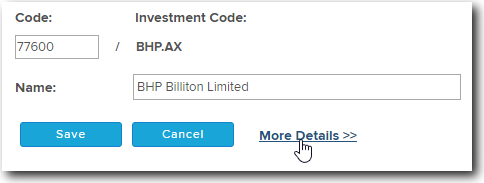
- To create and add any additional linked account to the investment follow the steps below:
- Select Add Link Account
- Select the type of account you wish to add or link to the Investment 23900 - Dividend Income
- The Account Type will now be added to the Account List.
- Locate the New Account from the Account List and Select the Account Code/Investment Code.
- Select Save. Simple Fund 360 will now create and Link the Account to the Investment.
Once configured:
- Interest income can continue to post to the fixed interest account
- Dividend components can be recorded separately
- Franking credits become available in the transaction’s tax detail fields