Client Changed Brokers

How do I delete the current broker connection and add the new one. I can seem so see any delete button.
-

Good Morning Junita,
Thank you for reaching out and posting your question.
To delete a broker, you’ll first need to add the new broker. Here’s how:
-
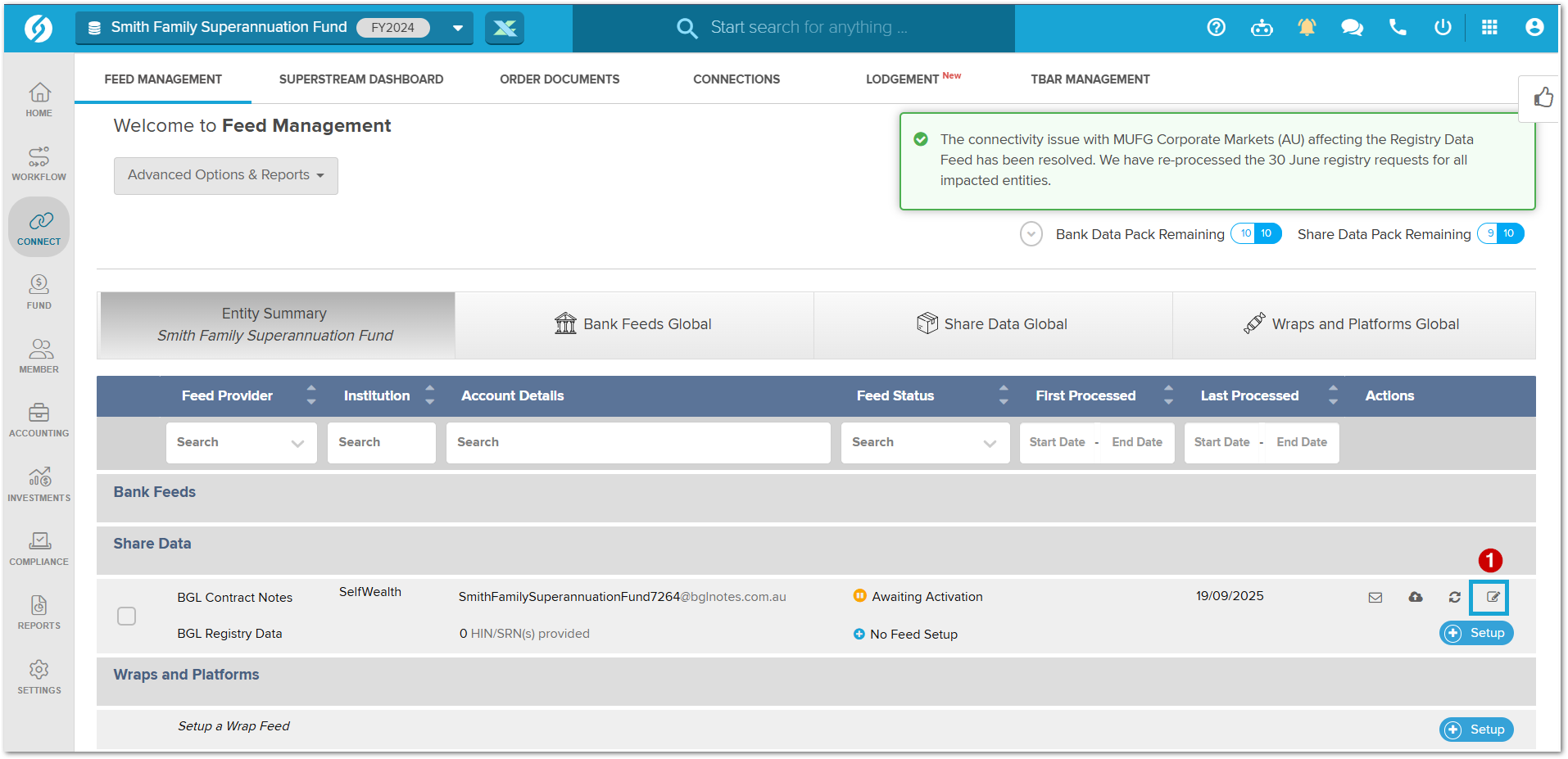
Go to the Feed Management screen for the fund you want to update.
-
Under Share Data, click the edit icon.
-
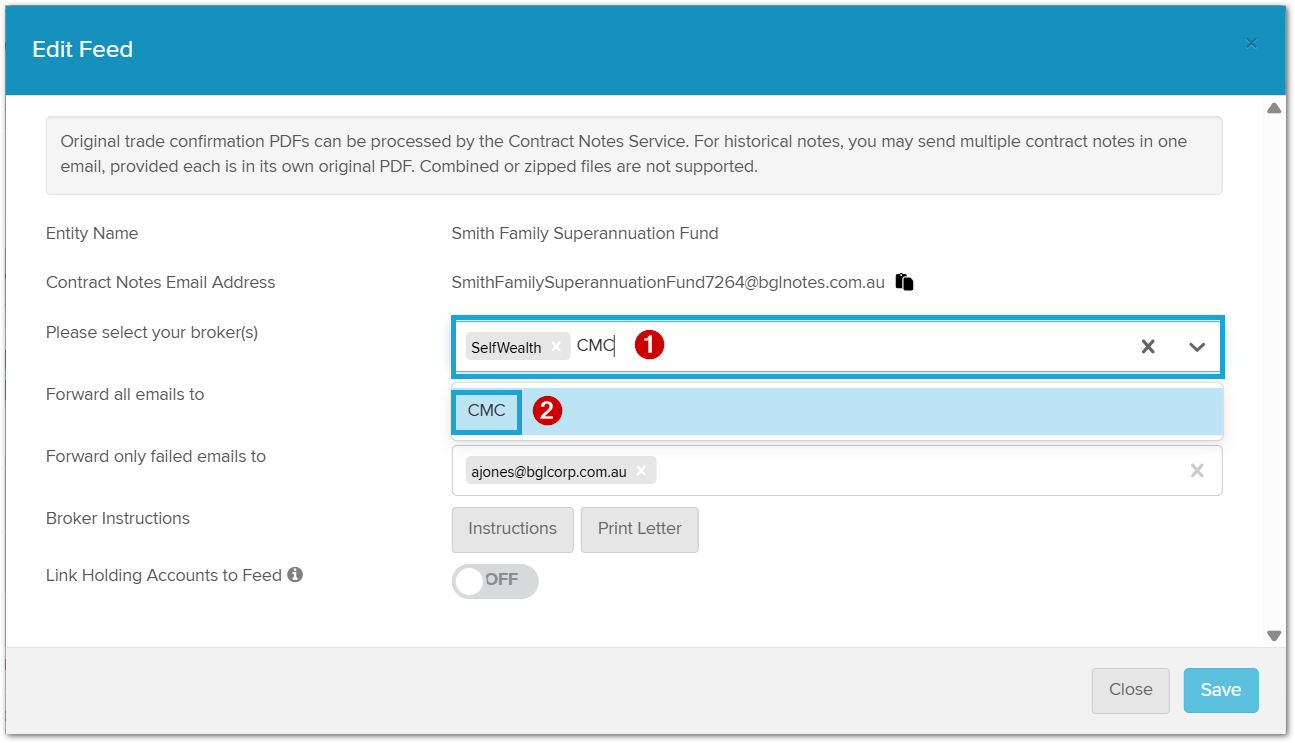
In the Edit Feed screen, first add the new broker by selecting the table and locating the broker you want to connect.
-
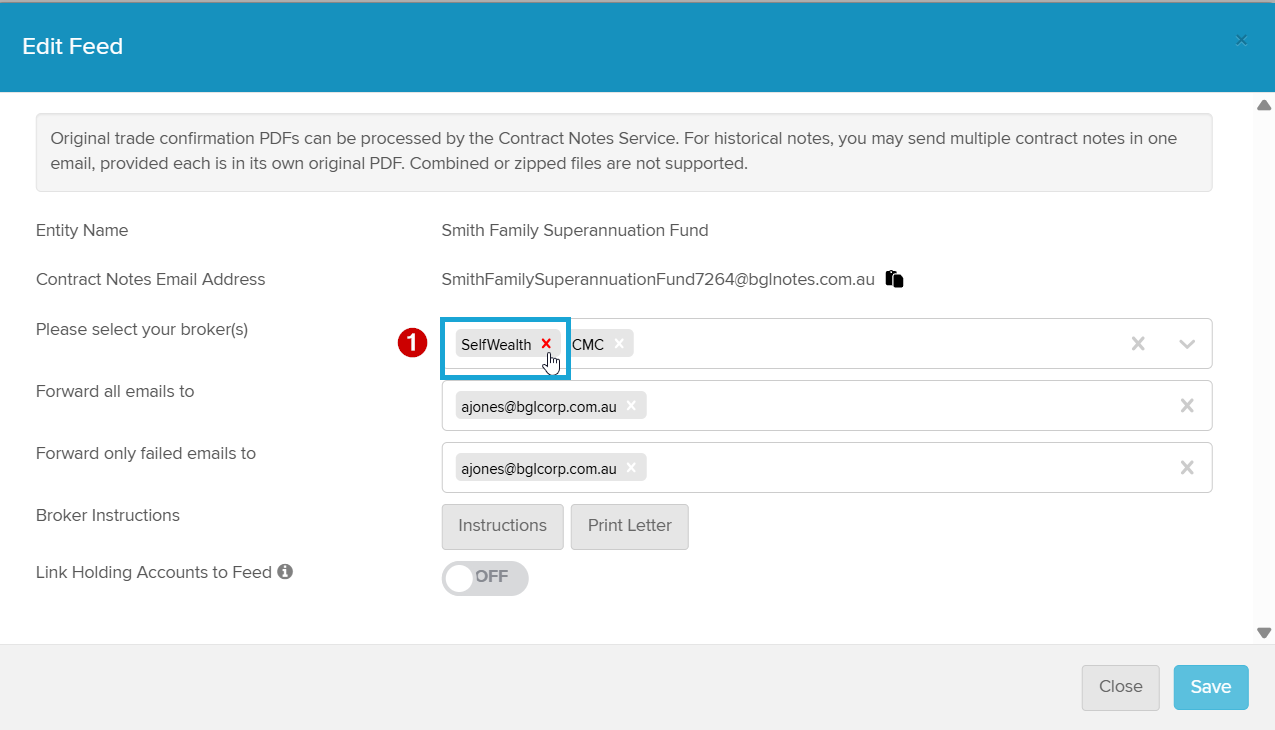
Once the new broker is added, you’ll see the option to remove the old broker by clicking the X button next to it.
-
Finally, please print off the instructions for the new broker to make sure the connection between Simple Fund 360 and the broker is working correctly.
After making the changes, click Save at the bottom of the screen.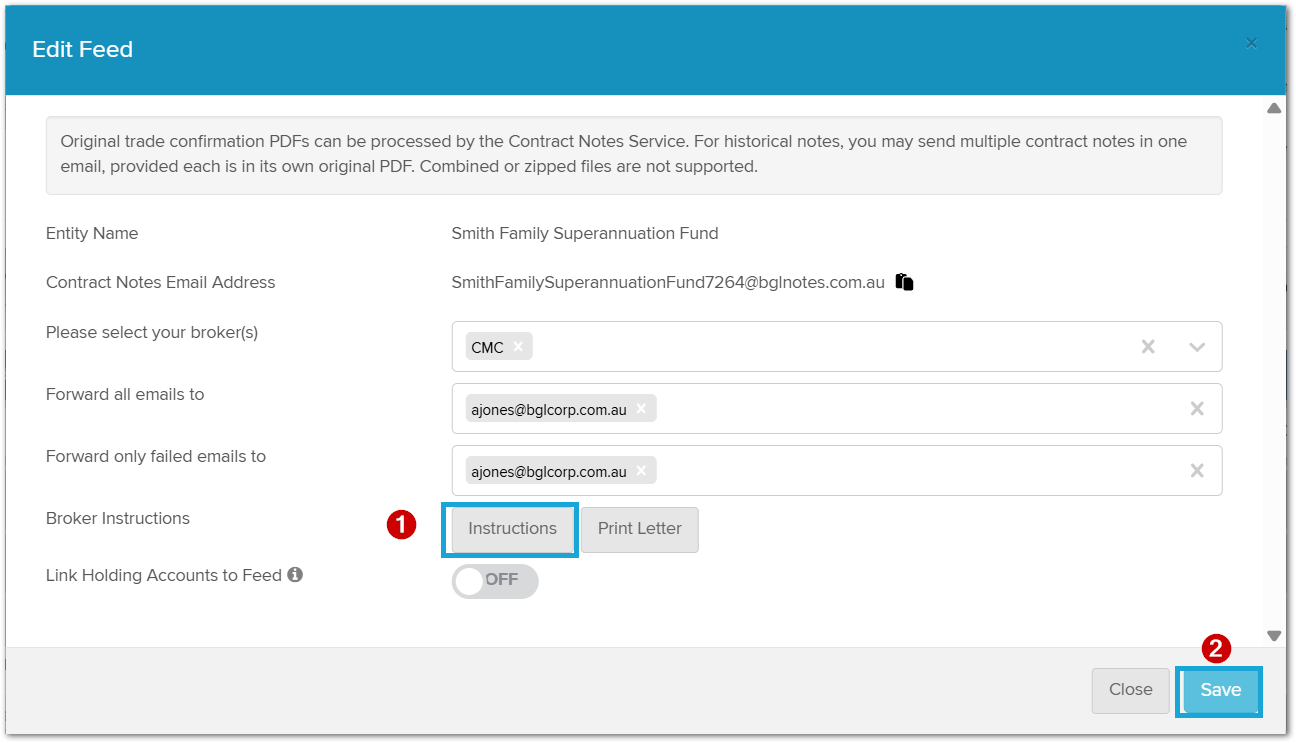
I can see you’ve already contacted our support team. They’ll be in touch shortly to confirm that your issue has been resolved.
Please don't hesitate to contact me if you need further assistance.
0 -
Please sign in to leave a comment.
Comments
1 comment