How can one purge a cancelled HIN?

A default HIN had been set-up for a Fund some years ago.
That HIN has been cancelled as a new broker is being used. The new HIN has been entered for all traded securities.
However, any transaction entry brings up the old HIN has a default.
How can the defunct HIN be purged so that it no longer populates transaction entries for securities?
-

Hi Abhijit,
Thank you for reaching out in the Community.
I’m sorry to hear you’ve been having trouble with the HINs. From what you’ve described, it looks like the old HIN is still set as the default.
To remove the old HIN:
-
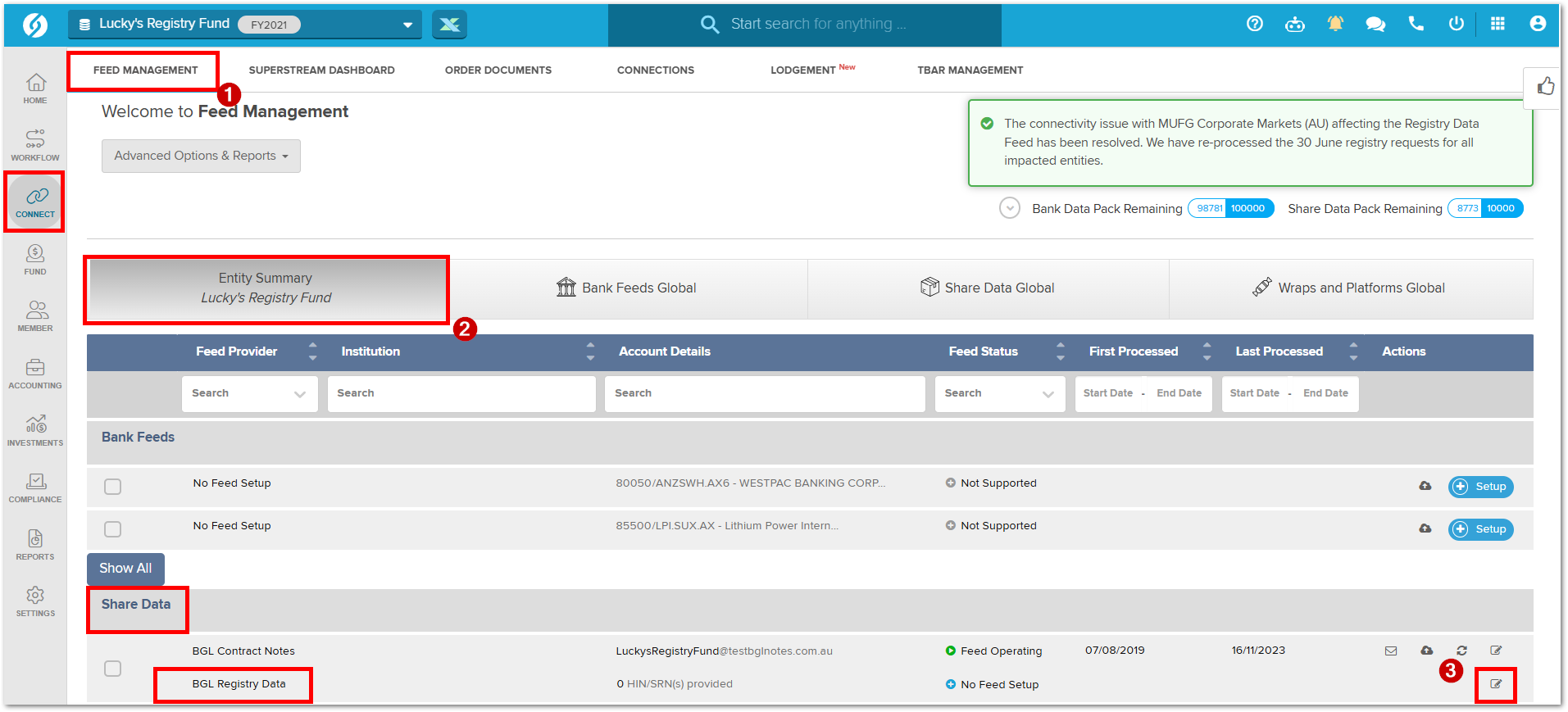
Go to Feed Management Screen for the fund in question.
-
In the Entity Summary, under Share Data, select BGL Registry Data.
-
On the same line, click the Edit icon.
-
In the table that opens, go to the Default HIN Management tab.
-
Locate the old default HIN and click the red trash icon to remove it.
-
Press Save to confirm the change.
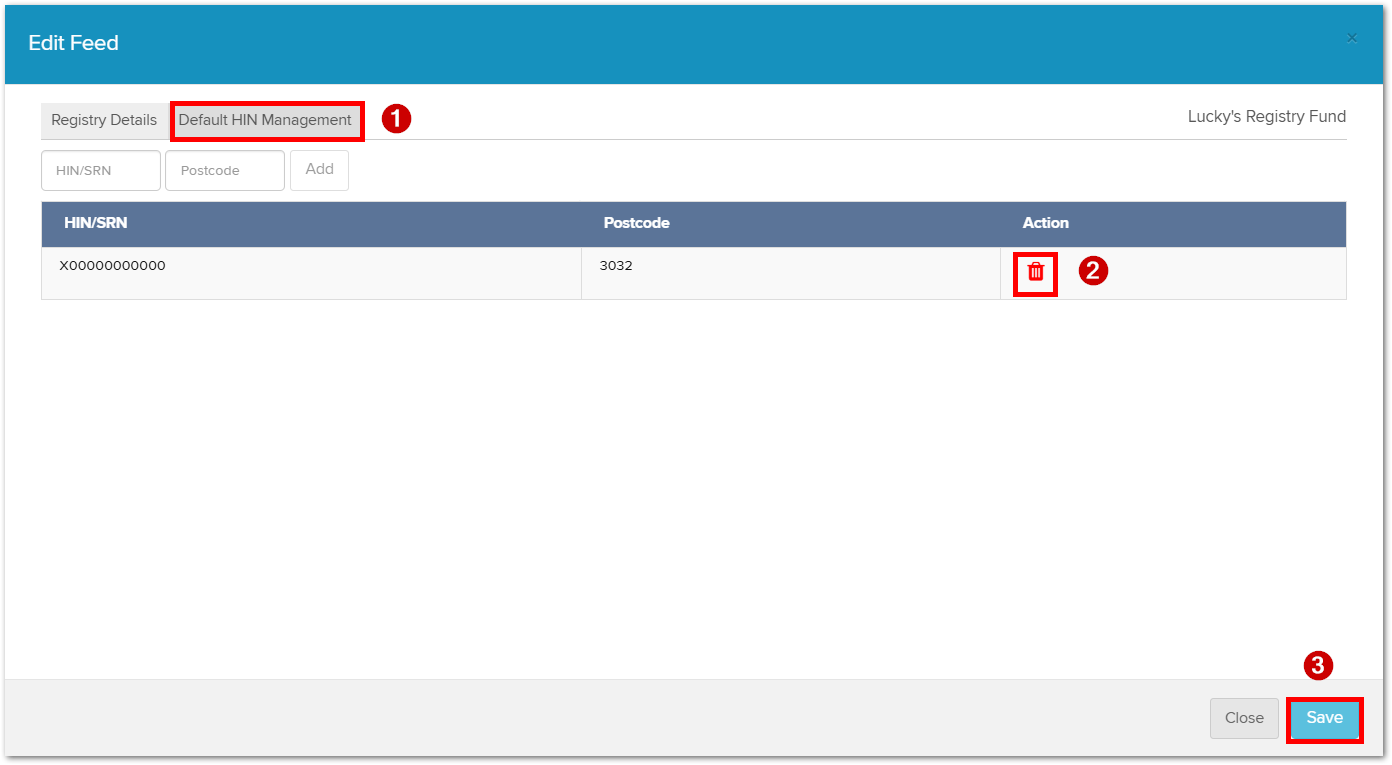
Once this is done, the defunct HIN will no longer populate transaction entries.
Please let me know if you have any further questions or need assistance.
0 -
-
Hi Andre,
I had actually carried out the steps you suggested already.The old HIN does not appear on the data feed management screen.The new HIN has been entered as the default HIN and the HIN for individual securities.
The hold HIN still populates new transactions and I am at a loss as to why this is happening and how to stop it.
0 -
Hi Abhijit,
Thank you for getting back to me. That does sound unusual, and it’s not something I’ve come across before. It may require some adjustments from our Support team on the back end.
I’ve gone ahead and logged a support call on your behalf so they can investigate further. We’ll keep you updated through the support ticket, but please don’t hesitate to reach out if you need anything in the meantime.
0 -

This is also happening to me Andre Jones can you please help me too? the old HIN seems to be just stuck and wont go and away and new HIN wont register on the investment page at all even though it looks to be added onto the individual security.
0 -

Hi Isabella,
As this appears to be a similar issue, I’ve gone ahead and logged a support call on your behalf so that the team can investigate further.
We’ll keep you updated through the support ticket. If there are any further questions, please reply to let me know so I may assist further.
0
Please sign in to leave a comment.
Comments
5 comments