Ordinary shares appear in Distribution tax automation tab

Can you explain why the Distribution tax automation tab of a trust is showing ordinary shares which have no distributions apart from dividends? I haven't seen anything like this before as I assumed only trust distributions should be displayed in this tab? 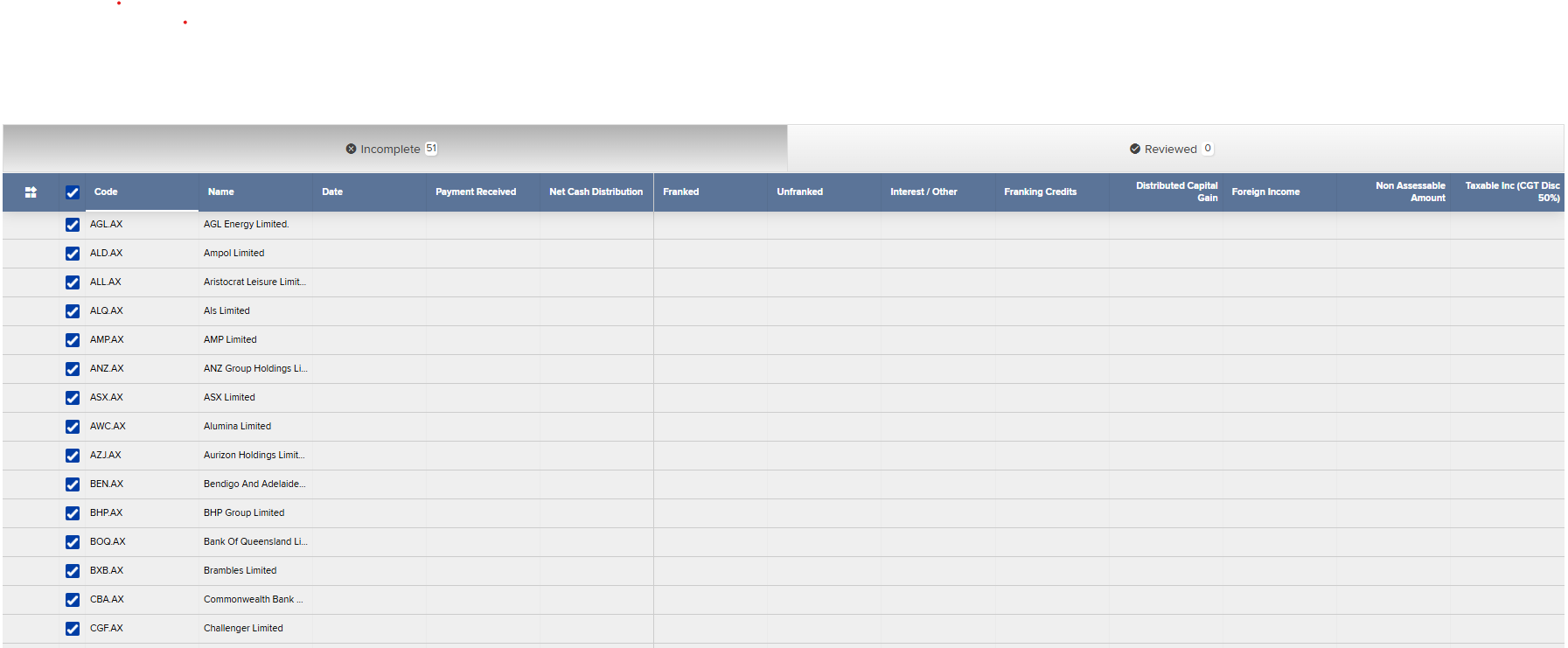
-

Great question! The Distribution Tax Automation screen will also display any investment accounts under the 77600 account that have a linked Distribution Account (23800).
The reason you're seeing these accounts is likely because a 23800 linked distribution account was automatically created when the share investment account(s) were set up.
There are a couple of things you can check:
1. Check if the 77600 control account has a default linked account:
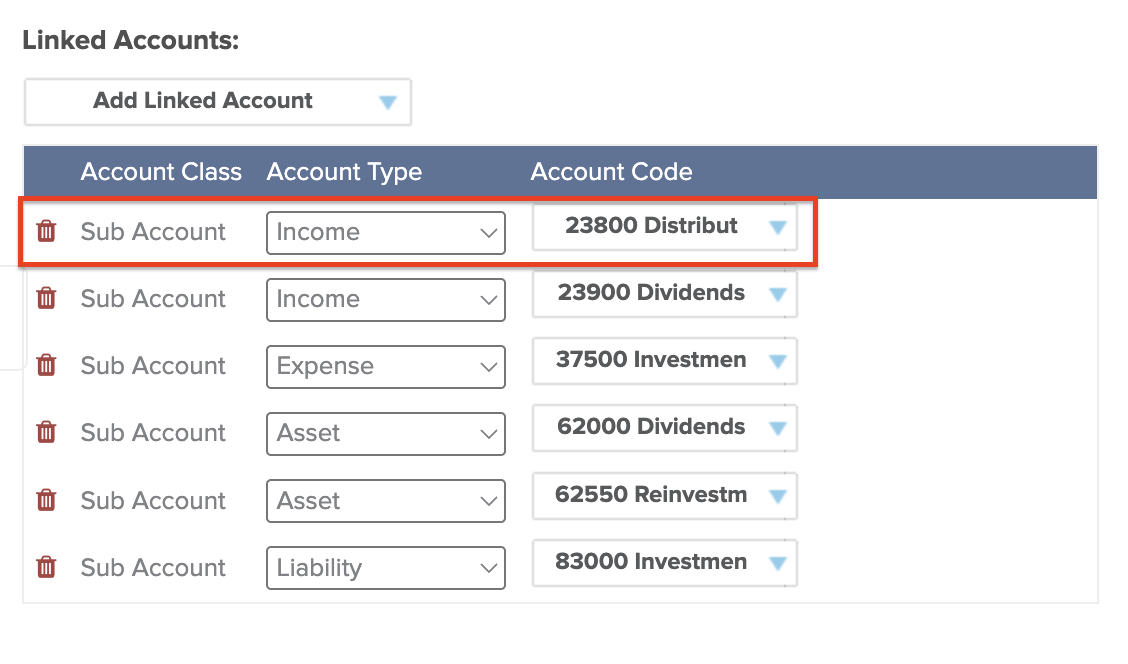
If the 77600 control account has the 23800 Distribution Account linked by default, then every time a new investment account is added under it, a linked 23800 account is also created.
To review/remove the default linked account:
-
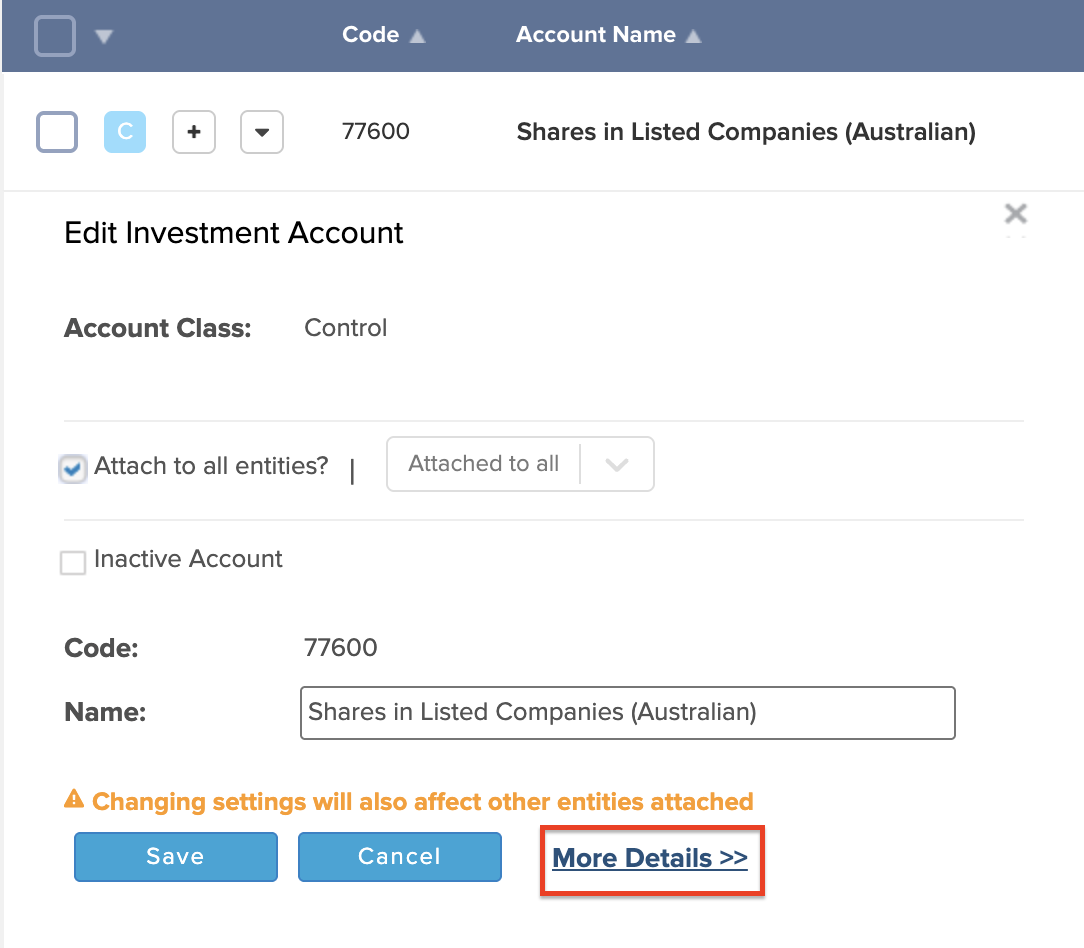
Go to the Chart of Accounts.
-
Search for the 77600 control account.
- Click Edit > More.
-
Under Linked Accounts, check for any 23800 accounts.
-
If needed, click the trash icon to remove them.
(Note: This won’t delete any already-created linked accounts, but it will stop them from being created going forward.)
2. Review existing investment accounts:
If these investments shouldn't have linked distribution accounts (e.g. they’re just regular shares with dividend income), you can remove the incorrect 23800 accounts:
-
Go to Chart of Accounts.
-
Search for the relevant 23800 accounts.
-
Tick the ones you want to delete.
-
Click Delete, but only if you're confident they haven’t been used and were created in error.
If you're unsure or would like us to take a closer look, feel free to log a support call and our team will be happy to assist further.
0 -
Please sign in to leave a comment.
Comments
1 comment