Pension created in error

I made a mistake and created a pension in error before running the create entries process. I followed the instructions and commuted the pension, ran the create entries and recreated a new pension. This appears to have worked fine except:
1. There are 2 pensions shown in the pension dashboard, the original incorrect one with zero balances and the new one with correct balances. I cannot see how I can permanently delete/hide the original pension with the zero balances.
2. All the pension accounts are named "xxx Pension 2". I can edit some of the account names to remove the "2" but the system will not let me edit some of the account names.
3. The chart of accounts has a full set of (inactive) account codes for the original incorrect pension which are inactive. Would it help if I deleted them? Would this cause any problems?
NB: I have not tried to follow the TBAR process yet but it looks as though it will be ok as the TBAR screen only shows the 2nd (correct) pension.
-

Hi Ian! Some great questions here which I can hopefully provide some insight on.
If you are still having issues please do feel free to submit a support call with our team and we can investigate your specific situation further.1. You should be able to delete this unused pension account from the Member List screen.
- If there are any transactions posted to this pension (including system transactions) SF360 will prevent you from deleting it
- If the account isn't appearing on the member list, you will need to ensure "View All Member Accounts" is toggled on (instructions here: Member Account not appearing on the Member List)
2. Pension Account descriptions can be edited when clicking into that account on the Member List screen, however the Member Code cannot be edited.
- Account Description = Blue Box, Member Code = Red box
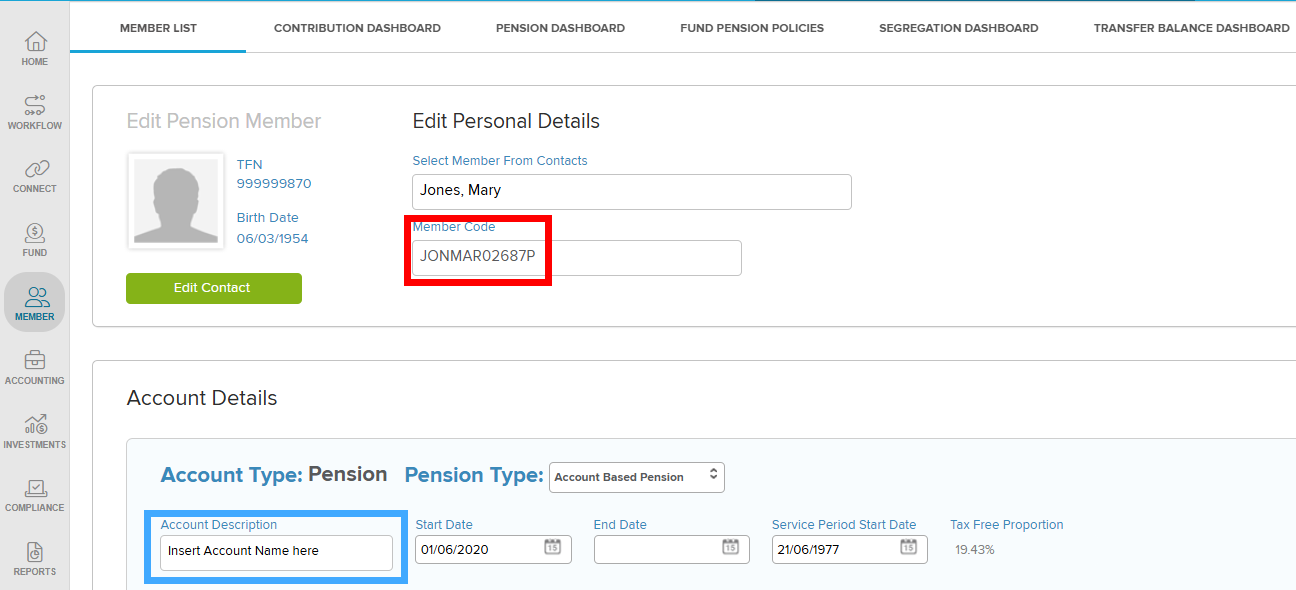
I'm unsure specifically where you are editing the account names. If you do end up submitting a support call, please do let us know that information and we can look into the issue more closely.
3. I would expect that deleting the Pension Account on the Member List screen would delete these inactive pension account codes.
All accounts with the same member code are linked to a relevant Pension and should get deleted when that Pension is removed.If you had any other questions, feel free to let me know or get in contact with our Support Team!
0 -
Hi Daniel
Many thanks. This has solved the account naming problem and has probably solved the problem with deleting the account. I have not however completed the deletion step that you suggested as, when I press the delete button, I get the following warning message:

I suspect that the warning is poorly worded and that continuing will not delete the member account in its entirety but will only delete the pension that I want to delate. I am a bit nervous in proceeding as the risk of having to completely reinstate a member scares me.
0 -

Hi Ian,
You are correct; clicking Ok will only delete the selected member account (in this case, it will delete the pension ERROR account)
See the example images below.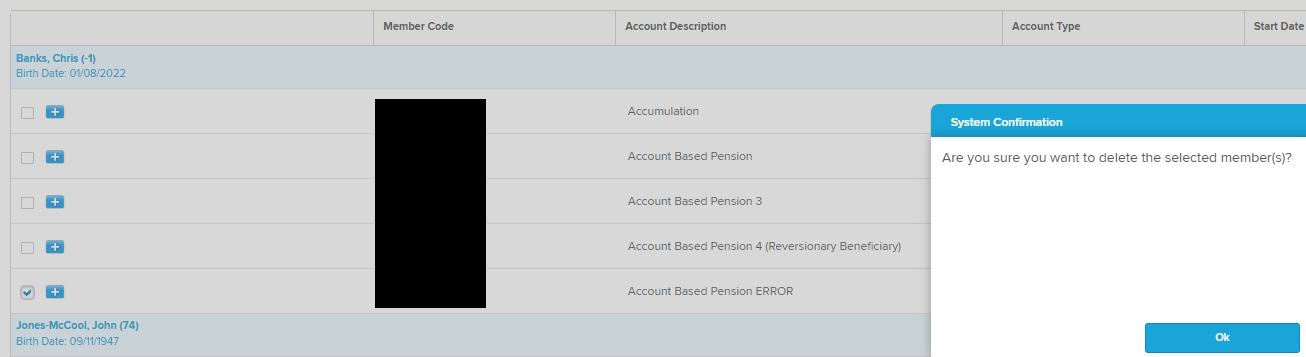
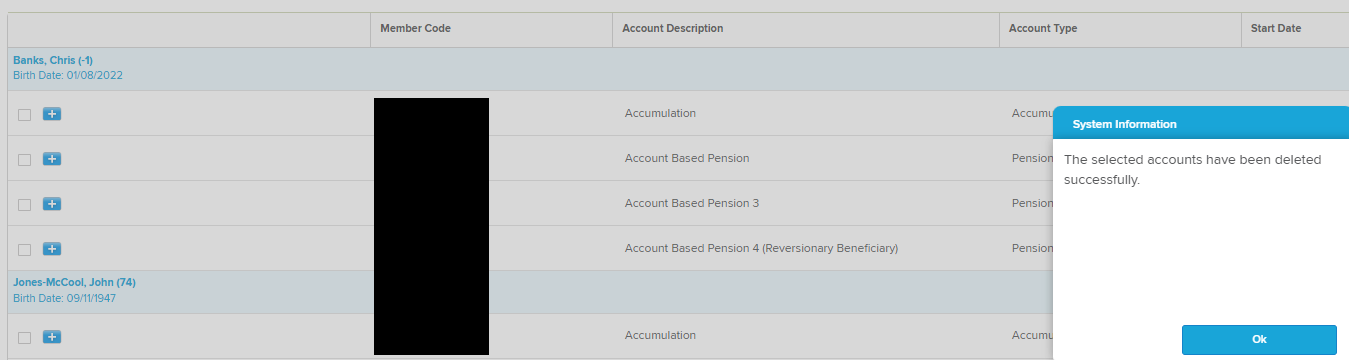
If you did accidently selected a member account that had transactions posted to it or TBAR events created to the member account, the system would not let you delete that member account.
As Daniel mentioned, once the pension account is deleted, the accounts in the chart of accounts with the same member code will also be deleted, so there will be no issue with accidentally selecting the wrong pension account.I hope the above answers your post and if there are any further questions please reply to let me know so I may assist further.
0
Please sign in to leave a comment.
Comments
3 comments