PAYG Instalment

Hi
One of the SMSF is GST registered and we do quarterly BASs, please let me know how to activate/Include PAYG instilment amount in Quarterly BAS report.
-
Official comment

Hi Manjula,
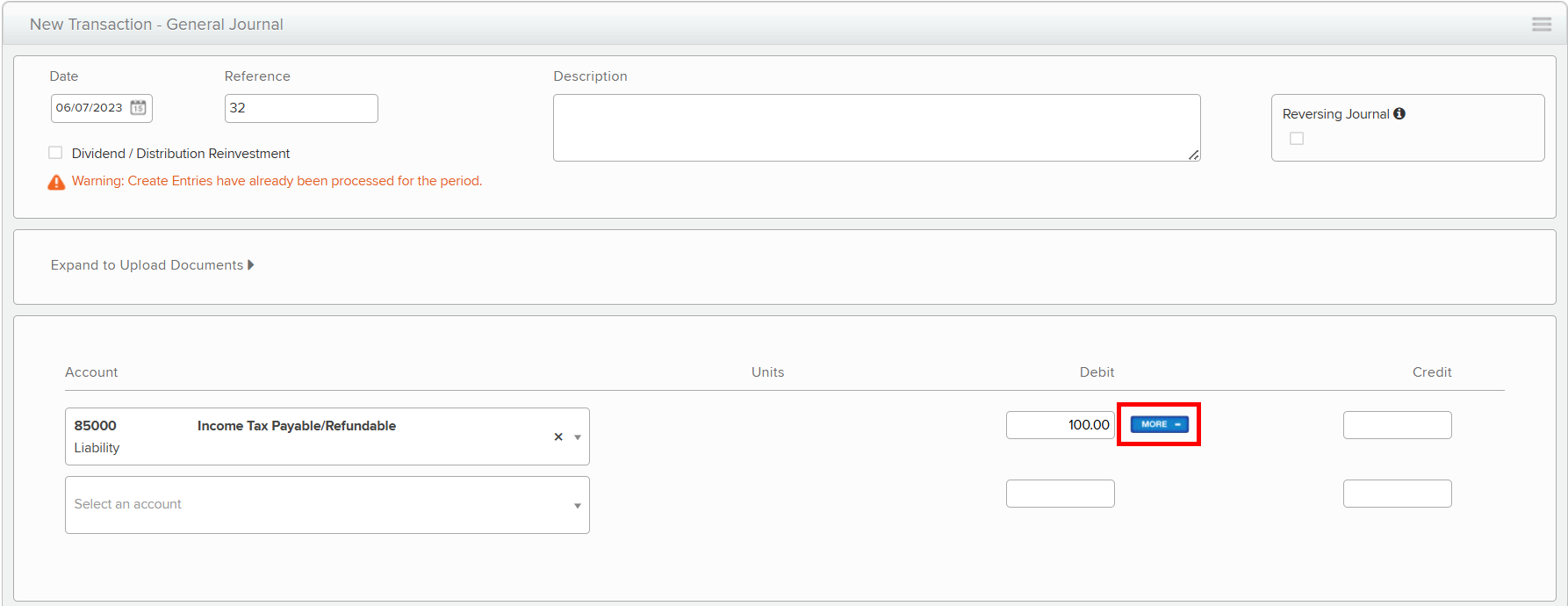
Thank you for reaching out and creating a community post.To include PAYG instalments in Simple Fund 360, you’ll need to record the instalment by posting a transaction to the 85000 / Income Tax Payable account.
Here’s how:
-
Enter the instalment amount as a debit, this will display the Tax Payment/Instalment Details panel below.
-
In the More Details tab, first select the financial year that you are working in, and please be aware that the payment amount will be automatically entered.
-
Once all details are entered, select Post.
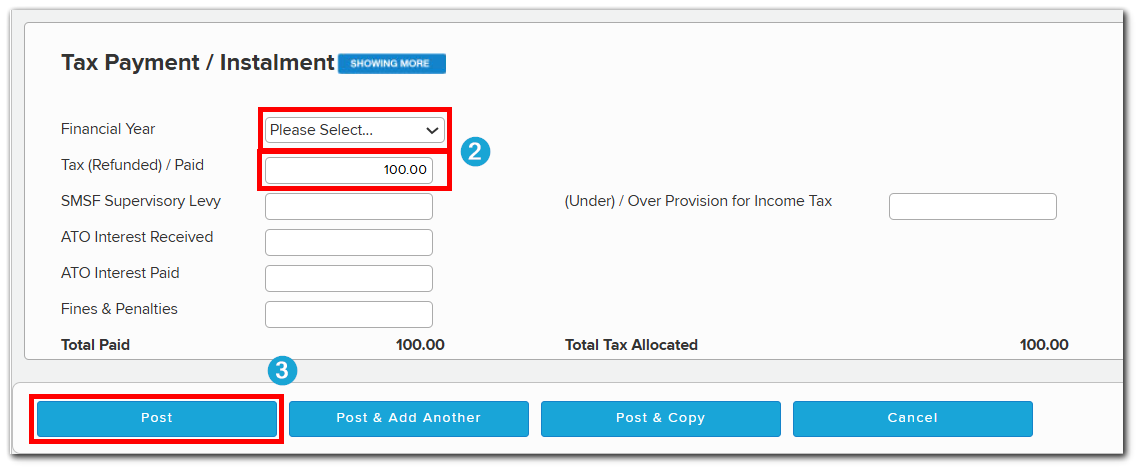
The instalment will then appear in both the Statement of Taxable Income and the Tax Return as PAYG instalments raised for the current year.Please let me know if you have further questions.
-
Please sign in to leave a comment.
Comments
1 comment