Dates on Pension Minutes / Letters

Currently unable to input a date to Pension Minutes / Letters.
Error message on document reads Error - <<E.ReportDate>> - Variable does not exist
Is this a known issue ? Is there a know fix ?
-
Official comment

Hi Gavin,
Thank you for reaching out and raising this in the community.
I’m sorry to hear about the issue you’re experiencing with the Pension Minutes/Letters.
This error can occur for a few different reasons, including Badge settings or custom report templates. I recommend lodging a Support Ticket so one of our consultants can review the specifics of your report in more detail.
In most cases, resetting the report template resolves the problem, as it restores the original format while still allowing you to apply your preferred Badge settings.
To do this, follow the steps below:
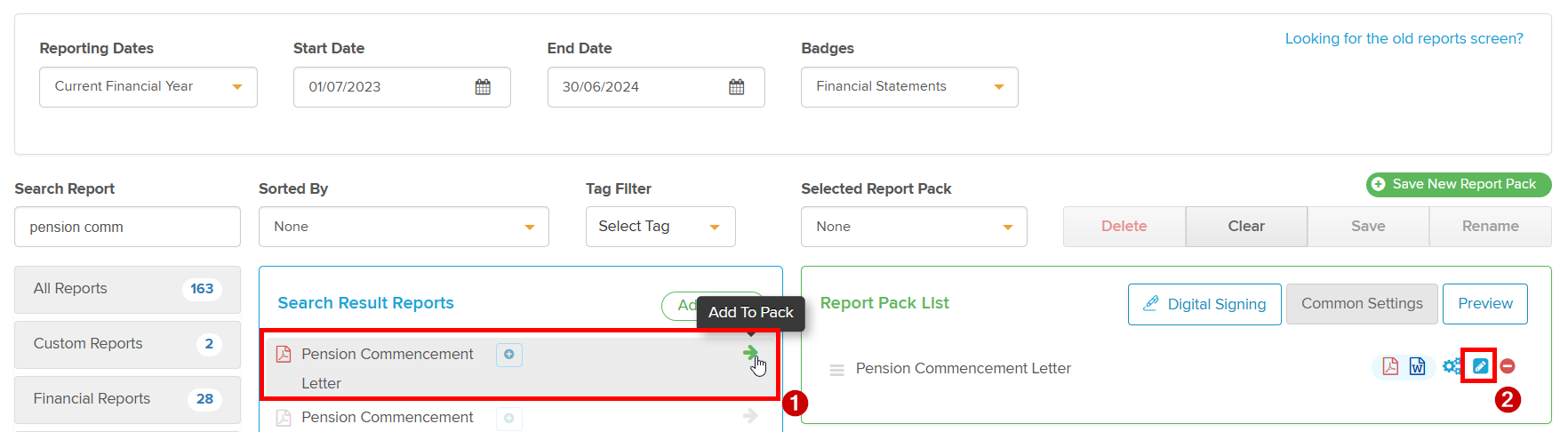
1. From the Reports screen, add the Pension Commencement Letter to a Pack by pressing the adjacent arrow.
2. Then select the pen icon, please ensure that you have selected the badge that you produce reports with, otherwise this icon will be greyed out.
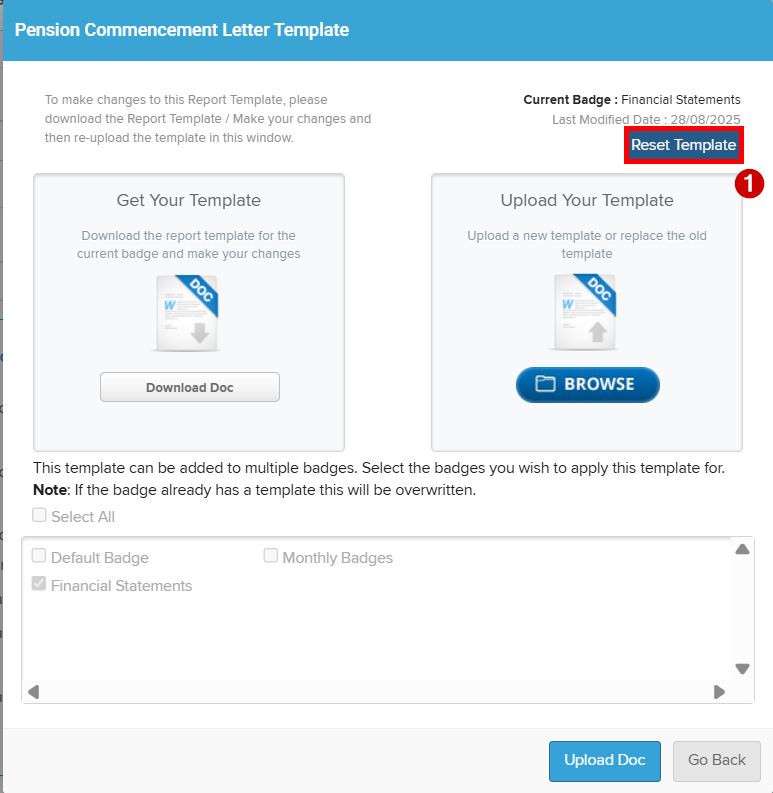
3. Then select Reset Template, which will reset the report to the original template.
Please let me know if you have further questions or concerns.
Please sign in to leave a comment.
Comments
1 comment