How can I reverse a full pension commutation journal after it was mistakenly deleted

I have accidentally deleted a system-generated journal for a full commutation of a TTR penison. As a consequence, the Pension Account is no longer in the Chart of Accounts for the SMSF affected and the 'pension' member is no longer listed on the Members List. However, the 'commuted' pension account is still showing on the Pension Dashboard and on the Statement of Financial Position. How do I resolve this bookkeeping quagmire?
-

Hi Kimani,
The commutation processed would have entered an end date into the pension account, the end date must be removed so the commutation can be reprocessed.
To be able to see the pension account again, head to the Members List.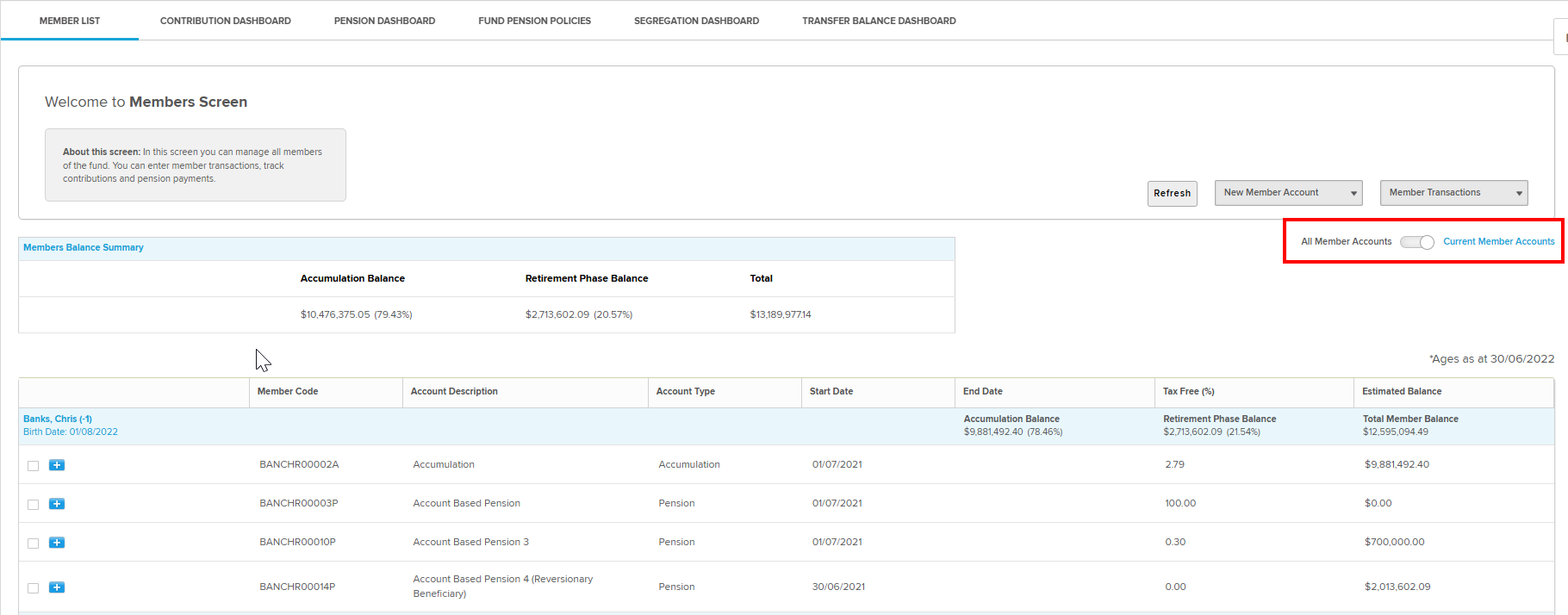
Then select the filter in the center-right of the screen to switch the member list from displaying current members to all members.
From there, you will be able to access the pension account.
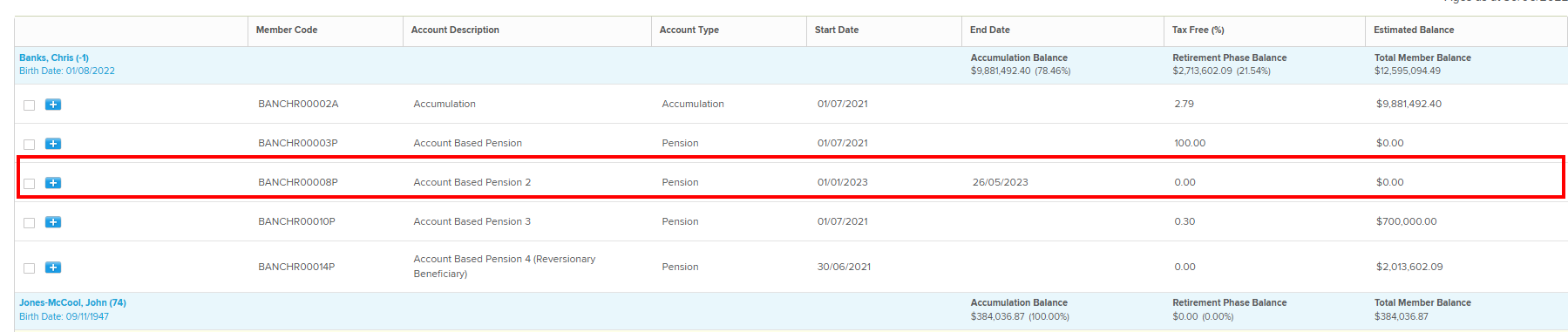 Click on the account to edit it, remove the end date and select save at the bottom of the screen.
I hope the above answers your post and if there are any further questions please reply to let me know so I may assist further.0
Please sign in to leave a comment.
Comments
1 comment