Bank Statement Coversions

Jet convert has stopped doing Bank Statement conversions to csv .
Does anyone know of another service provider? My client still get me paper statements?
-

BGL SF360 can import Bank statements directly from the PDFs via the Smart Matching screen. (Use 'Data Entry/Import Bank Statements' then drag and drop the pdf's down to the bottom left corner - Works extremely well and even works well with scanned statements)
0 -

Hi Stephanie
What Richard has said is the best method to import scanned Bank statements into Simple Fund 360
You can access the smart matching screen by heading to Accounting > Smart Matching.
As Richard said, select 'Data Entry/Import Bank Statements' and then drag and drop the scanned pdf into the bottom left corner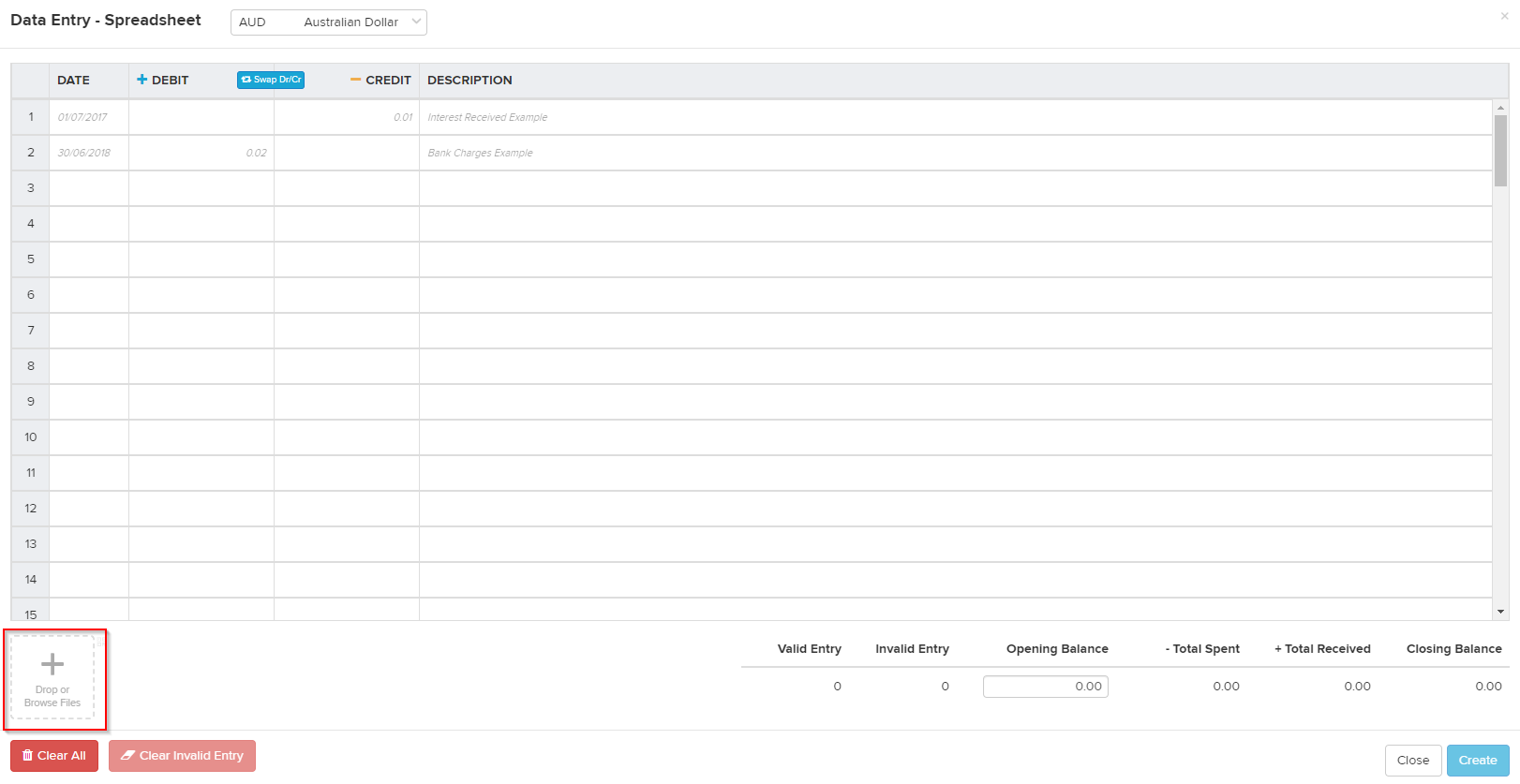
BGL SmartDocs will scan the Bank Statement and then list all the transactions it detects in the spreadsheet for you to review. Once you are happy, click Create in the bottom right.
I hope the above answers your question and if there are any further questions please reply to let me know so I may assist further0 -
Thank you Richard , procedure worked well.
Best Regards
Stephanie
0
Please sign in to leave a comment.
Comments
3 comments